Training
Crawlers collecting pages to train a model, such as GPTBot or ClaudeBot.

Agent Analytics
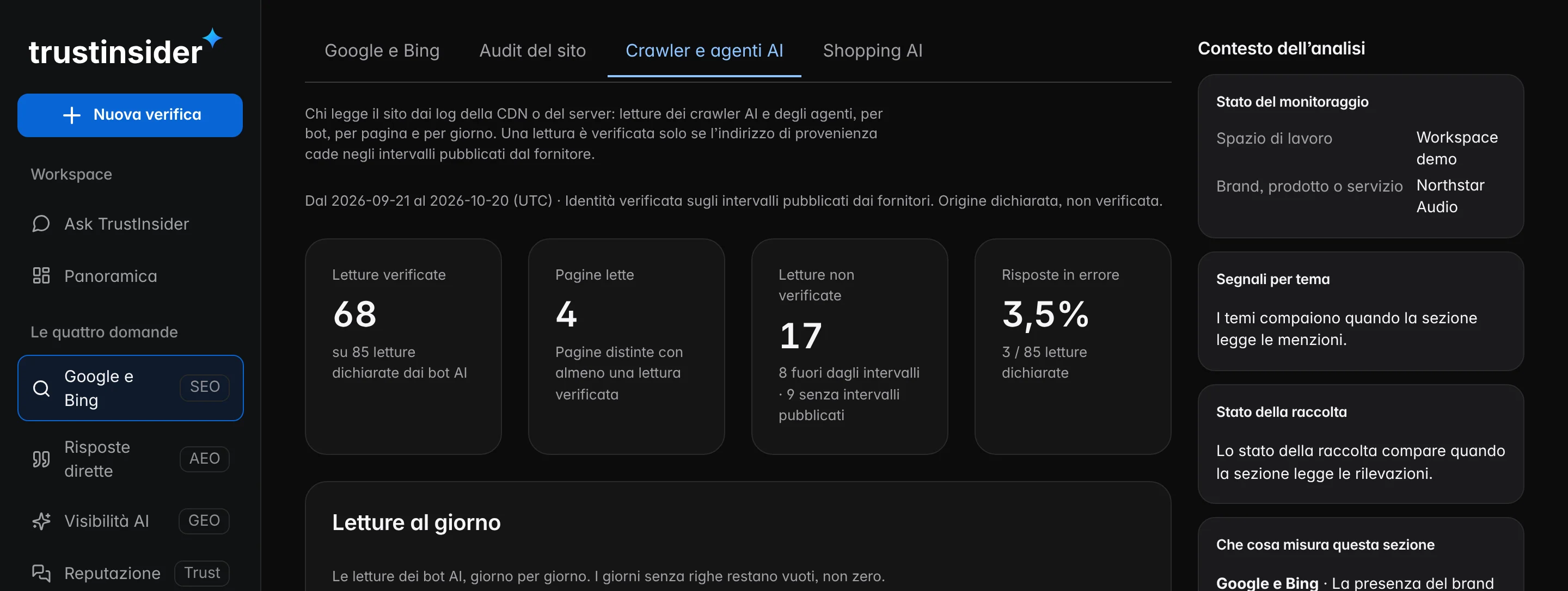
From your site logs, the reads by AI crawlers and by agents that open your pages on someone’s behalf: by bot, by page and by day, with identity verified against the address ranges published by the providers.
How search is changing
An assistant can cite a page only if someone read it: a crawler preparing the index, or an agent opening it while a person is asking. Analytics tools based on a script in the page usually don’t see these reads.

Crawlers collecting pages to train a model, such as GPTBot or ClaudeBot.
Crawlers preparing the index the assistant cites from, such as OAI-SearchBot or PerplexityBot.
Agents opening the page while someone talks with the assistant, such as ChatGPT-User or Perplexity-User.
Verified or declared
Anyone can write “GPTBot”. A read counts as verified only if the source address falls within the ranges the provider publishes. Whoever doesn’t publish them stays “declared”: never verified, never invented.
| Provider | Agents | Identity verification |
|---|---|---|
| OpenAI | GPTBot · OAI-SearchBot · ChatGPT-User | Address ranges published by the provider |
| Perplexity | PerplexityBot · Perplexity-User | Address ranges published by the provider |
| Anthropic | ClaudeBot · Claude-SearchBot · Claude-User | No published ranges: declared read |
| Google and Microsoft | Googlebot · Bingbot | Published ranges; search engines, with no separable AI intent |
Four measures
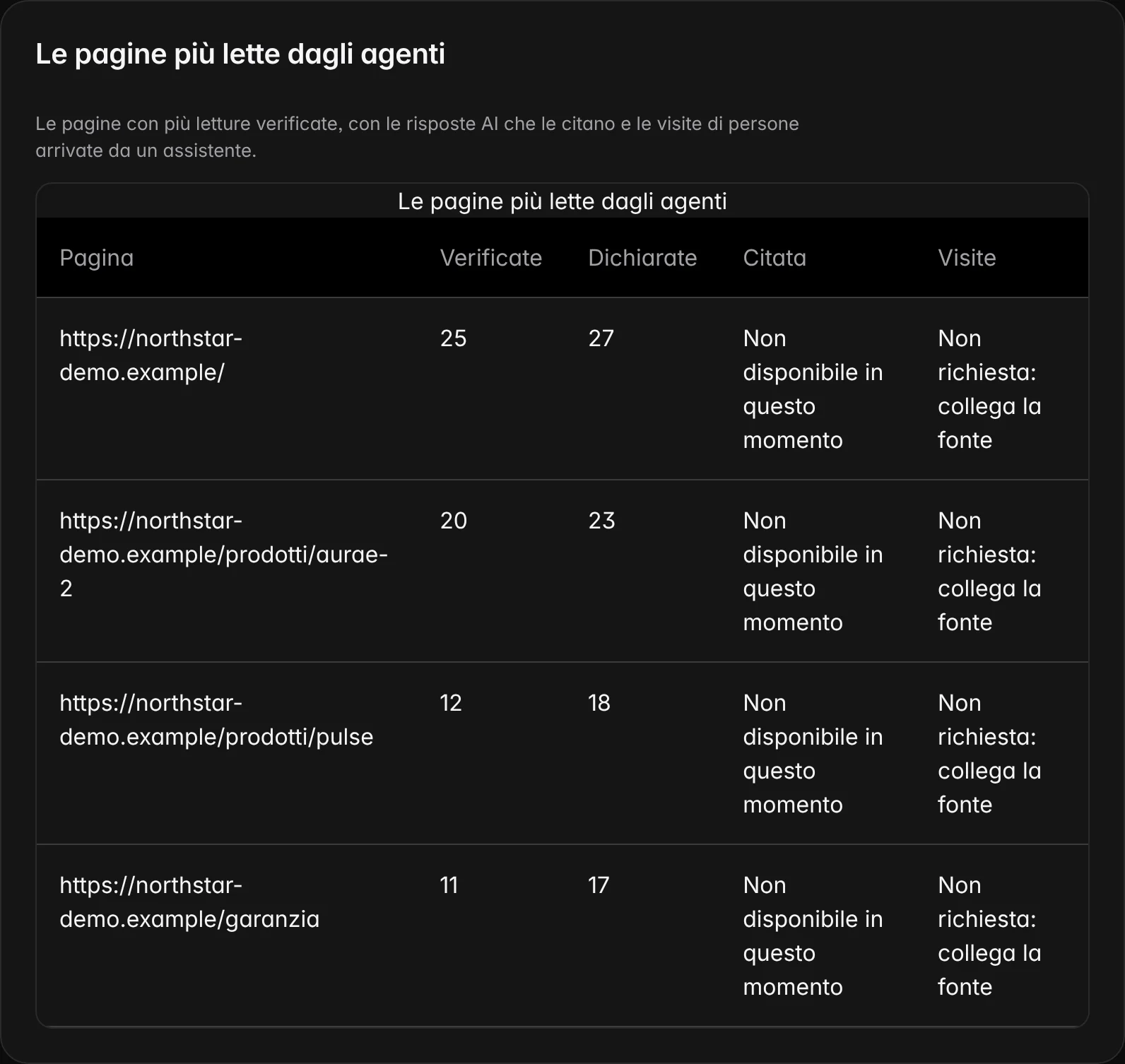
Every page has four measures, each with its source. They stay separate because they answer different questions: a page can be accessible and not read, read and not cited, cited and not visited.
The page responds and isn’t excluded: the site audit says so.
Agents opened it, by intent: the logs say so.
AI answers name it as a source: the observations say so.
People arriving from an assistant: Google Analytics 4 says so.
What you see
Reads are followed over time and cross-checked with the audit, with the answers citing the pages and with visits from assistants. You also see the errors returned to agents, such as missing pages and timeouts, and who respects robots.txt.
Logs, and privacy
You authorise the logs. Verification and aggregation happen before anything is saved: only counts by day, page and bot remain.
Cloudflare Logpush to our endpoint, or an NDJSON stream from another CDN.
The source address is checked against the ranges published by the bot’s provider.
Addresses and user agents stay in memory only for the aggregation: only counts are saved.
Aggregates expire after 30 days and are deleted.
Frequently asked questions
What AI crawlers are, why Google Analytics does not show their reads, how we verify that a read really comes from who it claims and what you need to install.
Programs that read web pages on behalf of an artificial intelligence service: to train a model, to prepare the index the assistant cites from, or to open a page while a person is asking.
Because crawlers usually don’t run the analytics script in the page. Their requests show up in the server or CDN logs, and that is where we read them.
We compare the source address with the ranges the provider publishes. If it doesn’t match, the read stays “not verified” and does not count among the pages read.
No. No script in your pages: you connect the CDN read-only, or send a log stream.
Related paths
Each feature answers a specific question. From here you move on to related features, to the methodology behind their measures and to help for using them in everyday work.
AI visibility, AI Trust Score, search, reputation, competitors, actions and execution: a feature for every question about your brand.
ReadHow TrustInsider works in six steps: brand, questions, quote, evidence, page-by-page intervention and a check on the same questions.
ReadHow every TrustInsider measure is built: sampling of AI answers, sources and rights, index calculation and declared limits.
ReadHelp with access, credits, collections, integrations and data: guides, FAQs, the site assistant and support requests from your workspace.
Read